
Pay by card via GCash
Use your Visa or Mastercard linked in GCash to pay your downpayment.

Steps in text
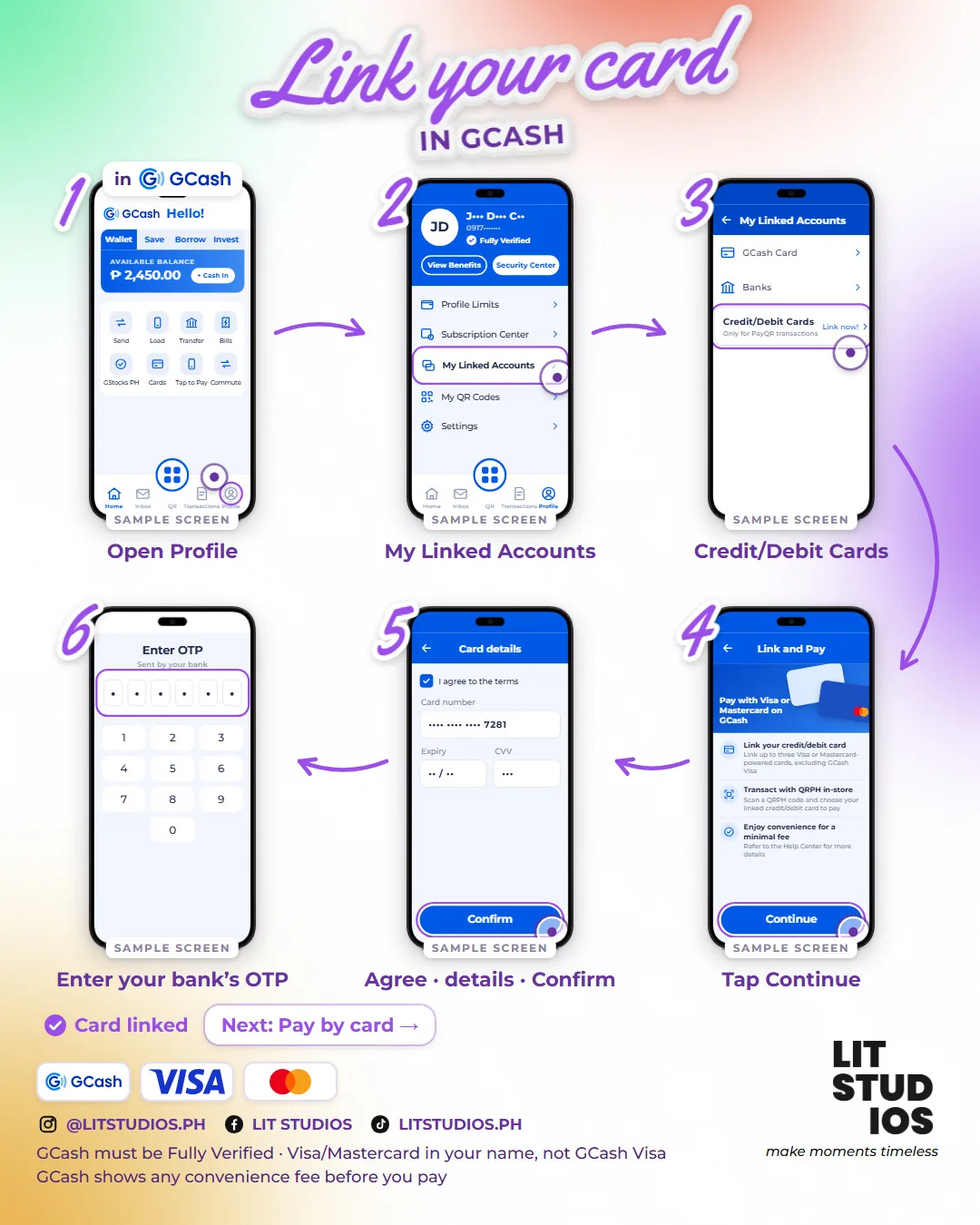
1. Link your card in GCash
- Profile → My Linked Accounts → Credit/Debit Cards
- Link now → Continue
- Enter your card details
- Enter your bank’s OTP
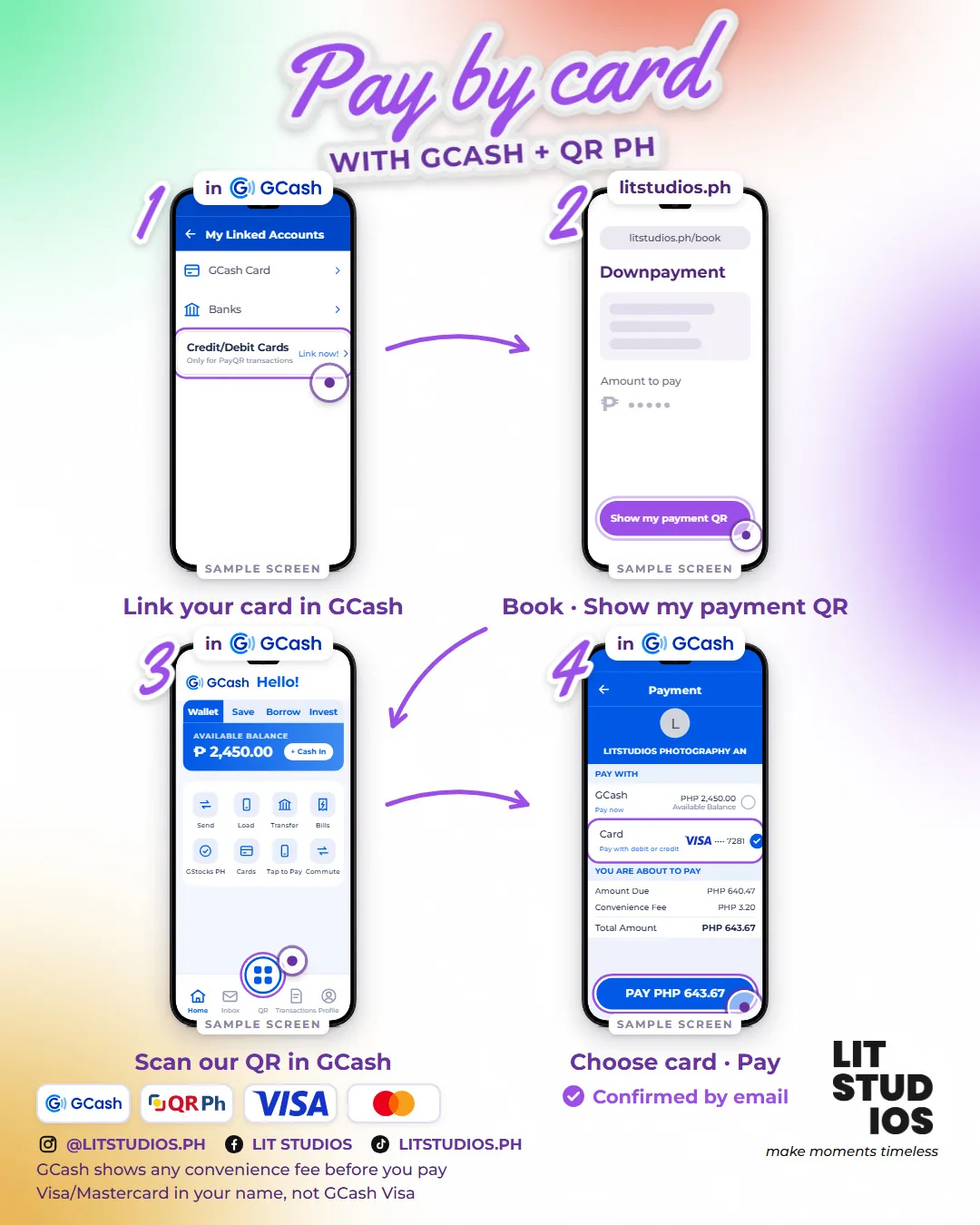
2. Pay on our website
- litstudios.ph/book → Show my payment QR
- In GCash, tap QR: scan or upload our QR
- Choose Card → PAY
- Confirmed automatically by email within 1–2 minutes. Keep the payment page open.
- Visa or Mastercard in your own name
- GCash-issued Visa is not accepted
- Your GCash must be Fully Verified
- Any convenience fee is shown in GCash before you pay